Cerner
2.1. Dotphrases
2.2. Cerner Shortcuts
Working Smarter in Cerner
- Cerner is an EMR
-
Powerful in some ways, inefficient in others
-
Computers excel at scale and repetition
-
They struggle with nuance, ambiguity, and multivariable reasoning
-
Use that difference strategically
- Let the system handle repetitive, automatable tasks
- Preserve your cognitive bandwidth for clinical synthesis and decision-making
- Use dictation, dotphrases, shortcuts, and favorites deliberately
-
Offload redundancy so you can think at a higher level
-
Cerner will not optimize itself
- It defaults to inefficiency unless you configure it
- The modules below are designed to help you customize Cerner so it works for you, not against you
Proxy
CERNER Proxy Setup Instructions
-
To ensure safe patient care and equitable workload distribution, all residents must maintain active proxy coverage for their CERNER Message Center during vacation or leave.
-
Vacation requests will not be approved without documented coverage.
- Coverage must be identified on the Internal Medicine Time Off Request Form.
- The covering resident must sign the form prior to submission.
- Each resident is responsible for assigning proxy access in CERNER to the designated covering resident.
-
Proxy access must be configured no later than the day before the start of vacation or away rotation.
-
If you are the covering resident:
- You are responsible for confirming proxy access is active.
-
If you later become unavailable, you must secure alternate coverage for both residents involved.
-
A brief tutorial (approximately two minutes) outlining how to assign proxy access within the CERNER Message Center is available here:
Tutorial -
If you encounter technical issues with proxy assignment, contact a fellow resident or the clinic chief before leaving.
-
Failure to maintain appropriate proxy coverage may result in deficiencies attributed to one or both residents, depending on circumstances.
-
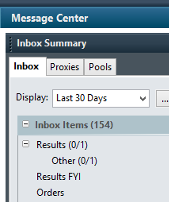
The Message Center tab does not visually change when new messages arrive.
- It must be checked routinely.
- Frozen Screen
- If you're experiencing a frozen screen, try the below
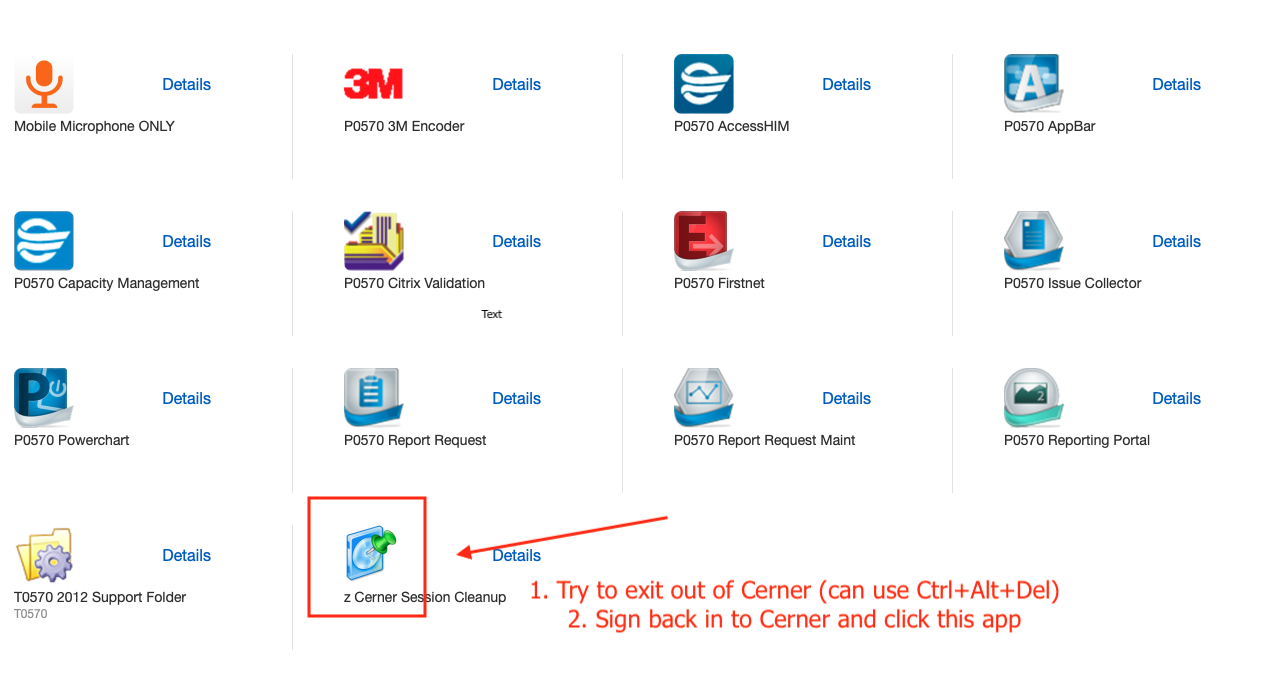
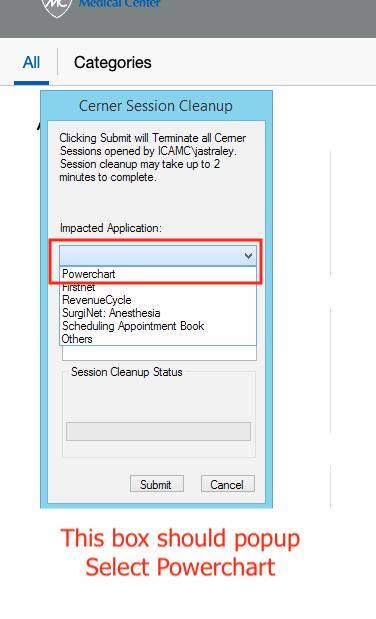
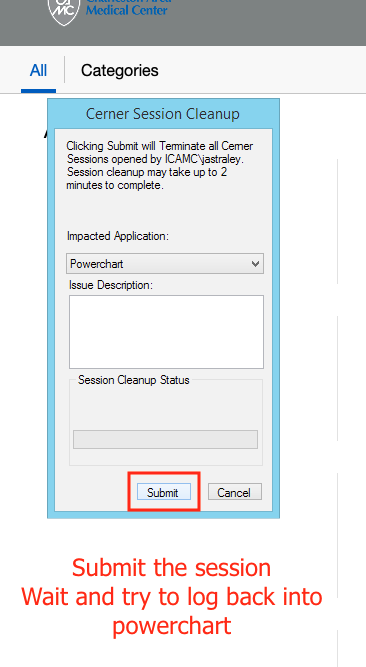
- If you're experiencing a frozen screen, try the below